When you need a clean, readable typeface that bridges mid-century nostalgia with modern layout needs, Bright Font delivers exactly that. It is a stylish serif option that balances bold character with subtle vintage charm, making it highly practical for everyday creative work. Whether you are designing packaging, planning social graphics, or preparing files for print-on-demand, this typeface gives you solid control without overwhelming your canvas. The letterforms stay grounded, which means your message reaches the viewer first while the style works quietly in the background.
Why choose a retro serif typeface for your layouts?
The structure relies on strong, clear letterforms that stay legible even at smaller sizes. Many crafters and small business owners struggle with heavy retro styles that break apart on digital screens or blur in low-resolution prints. This font avoids that problem by keeping stroke weights consistent and spacing balanced. You get that warm seventies aesthetic without sacrificing readability on product labels, shop banners, or blog headers. The PUA encoding also means you can access every special character directly inside your software, which saves time when you are swapping glyphs or adjusting spacing manually. If you prefer exploring other clean serif options, the lemon and orange typeface collection follows a similar design philosophy that prioritizes readability across different mediums.
How do alternates and ligatures improve your projects?
Typography projects often feel repetitive when you rely on standard character sets. Having more than fifty unique alternates and built-in ligatures lets you break that pattern without switching fonts mid-sentence. You can swap a standard t for a decorative swash, or combine specific letter pairs to create a smoother visual flow. This works especially well for boutique branding, wedding invitations, and handmade product tags where you want each layout to feel slightly custom. The ligatures prevent awkward gaps in tight kerning areas, which is a common issue when working with older digital serif files. Instead of manually adjusting tracking for every phrase, you simply select the alternate and let the font handle the connections. You will notice similar practical features in the Bright typeface listing, where each glyph pair is mapped for quick access through your character panel.
To review the full character set and licensing details, you can visit the official Bright page on the marketplace.
Which design formats actually benefit from this aesthetic?
Mid-century layouts thrive on contrast and clean geometry. When you pair a bold serif with simple sans-serif text or plenty of white space, the result feels grounded rather than cluttered. Print-on-demand sellers often use this combination for apparel graphics, tote bags, and ceramic mug wraps, because the thick strokes hold up well during heat transfer and screen printing. Small businesses also apply it to menu boards, storefront signs, and packaging labels where quick readability matters more than decorative flourishes. If you work in Canva, Illustrator, or Cricut Design Space, the file formats translate smoothly without losing stroke consistency or corner sharpness. For layouts that need a slightly looser, hand-drawn touch, you might compare this style to the Old String collection before deciding which aesthetic fits your specific project brief.
What should you check before exporting your final files?
Even well-encoded serif files require a few quick checks before you send them to a client or print service. First, verify that your software recognizes the OpenType features. Turn on the stylistic alternates panel and preview your headline at full size. Second, print a test copy if you are producing physical goods, since heavy ink coverage can sometimes thicken the negative space between serifs. Third, ensure your license matches your final use case, especially if you plan to sell items featuring the typography or embed it in a digital template. Most marketplace downloads include a commercial-use guide that outlines these boundaries clearly.
Before you finalize your layout, run through this short checklist to avoid common typography errors:
- Open your character map or OpenType panel to verify the PUA alternate characters are accessible.
- Test your chosen ligatures at both small and large sizes to confirm they connect cleanly.
- Keep body text above ten points when pairing this bold serif with thinner weights.
- Convert your final artwork to outlines only after confirming all spelling and spacing are correct.
- Review your print preview at one-to-one scale to catch any ink bleed or serif clipping issues early.
Once your test file looks balanced across screens and paper, save your working version, export a high-resolution PDF or PNG, and move forward with your production timeline.
Try It Free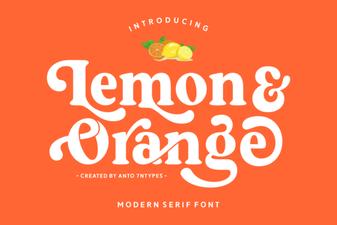 Lemon and Orange Font: Creative Typography for Design
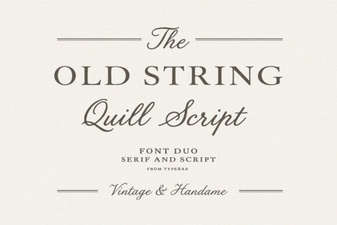 Old String Font: Creative Design & Project Ideas
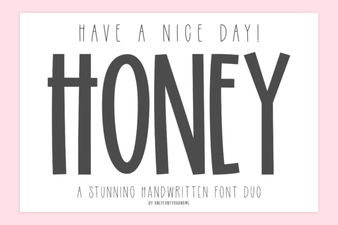 Have a Nice Day Honey Font Design Inspiration
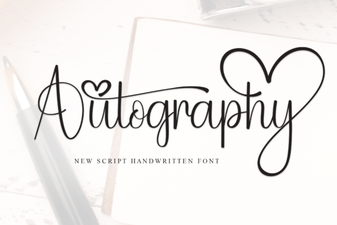 Autography Font: Elegant Handwritten Typography
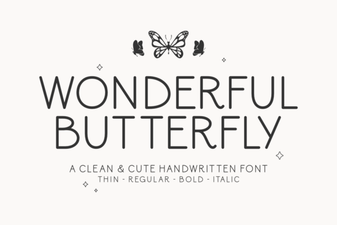 Wonderful Butterfly Font: Elegant Design Inspiration
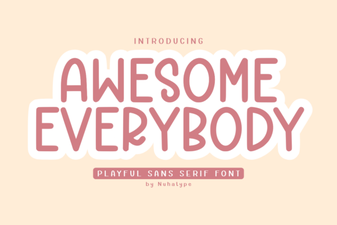 Awesome Everybody Font: Design Tips and Project Ideas