When you need typography that feels established but still carries a personal touch, Old String Font gives you that balance without extra guesswork. This download includes a structured vintage serif and a flowing quill-style script. For designers, print-on-demand sellers, and small shop owners, that pairing removes the struggle of matching a display face with body text. You get a ready-made visual hierarchy that saves layout time while keeping projects polished. Whether drafting a wedding suite, designing a product label, or building a brand guide, the files install quickly and work across standard software.
Why does pairing a serif with a handwritten script work so well?
The strength comes from contrast. The measured letterforms of the vintage serif provide stability and clear readability, anchoring your layout while keeping longer text blocks easy to scan. The quill script introduces rhythm and a human element that geometric typefaces often miss. Placing them together creates a natural balance where sharp edges soften against sweeping curves. Many beginners struggle because they stack two competing display fonts. This duo handles that tension for you, so you can focus on spacing and image placement instead of fixing mismatched weights.
Use the serif for headlines and structural text, reserving the script for short taglines or decorative initials. Keeping the script limited prevents visual clutter. When working on timeless design projects, remember that spacing matters just as much as the font choice itself. If you want to compare how similar pairings handle white space, reviewing other serif combinations shows how experienced designers manage breathing room.
What projects actually benefit from this typographic style?
Heritage-driven layouts perform best when the type carries historical weight without looking outdated. This set fits industries where craftsmanship and trust matter. Wedding printers rely on it to communicate elegance, while print-on-demand creators use it for journal covers and apparel graphics targeting a nostalgic market. Small businesses selling handmade goods choose this style because it reads as curated rather than mass-produced. Hobbyists and home decorators often apply this typography to wooden signs, ceramic mugs, and custom tote bags where clean readability meets rustic charm.
- Logo systems: Pair the serif for the primary name with the script for a short descriptor.
- Packaging labels: Use the clear serif for ingredients and instructions, letting the script highlight the flavor.
- Editorial spreads: Apply the serif for chapter titles and the script for pull quotes.
- Digital banners: The clean paths load quickly on storefront headers while staying sharp on screens.
This aesthetic pairs naturally with muted earth tones or high-contrast black backgrounds. You can also explore vintage layout examples to test different palettes before finalizing your mockup.
How do I keep text legible across different print materials?
Physical printing demands precision because paper stock and ink absorption change how letterforms appear. Always test the script at its final printed size. If connecting strokes blur or letter tails merge, scale up slightly. On uncoated paper, ink spreads, so add light tracking to maintain separation. Heat presses and foil stamping machines react differently to thin strokes, so thicker serif weights usually survive higher temperatures without breaking apart.
Convert text to outlines after final adjustments to lock spacing and prevent substitution during production. Check that your document color mode matches the printing process, switching to CMYK for offset jobs and keeping RGB for direct-to-garment transfers to avoid unexpected color shifts. Request a physical proof before a full run. You can cross-reference official spacing guides by visiting Old String previews to match your mockup metrics.
What steps should I take before sending files to a client?
Verify licensing terms for physical goods, digital templates, or resale products. Keep original files backed up and set up a test document with actual brand colors before presenting work. Run through this quick checklist before exporting:
- Install both typefaces, restart your software, and confirm they appear in the font dropdown.
- Apply the serif for body paragraphs at twelve to fourteen points, and limit the script to headings.
- Save a client preview as a compressed PDF, then generate a print-ready file with outlined paths.
- Archive the editable source file separately so you can adjust tracking if the printer requests tweaks.
Start with a small test print to verify ink coverage, then proceed to your full production batch once spacing and readability are confirmed.
Try It Free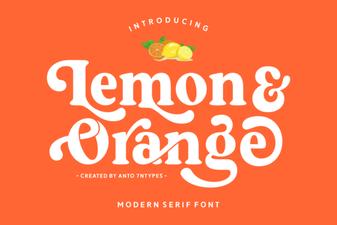 Lemon and Orange Font: Creative Typography for Design
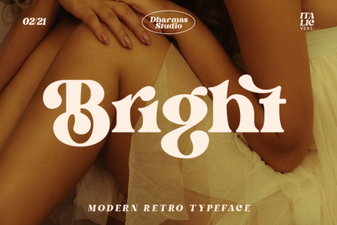 Bright Font: Design Tips for Creative Web Projects
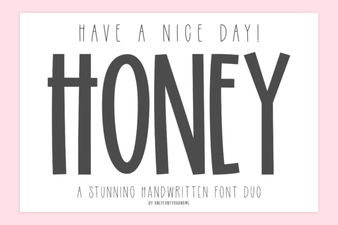 Have a Nice Day Honey Font Design Inspiration
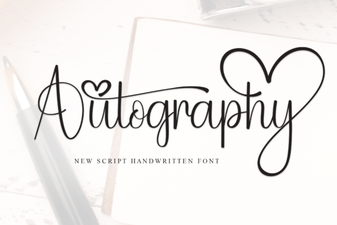 Autography Font: Elegant Handwritten Typography
 Wonderful Butterfly Font: Elegant Design Inspiration
 Awesome Everybody Font: Design Tips and Project Ideas